

What is RSS?
RSS stands for Really Simple Syndication. It is a file format that delivers web updates to you! These updates can come from blogs, websites, audio or video.
What can RSS do for me?
Think about all of the websites you check in a day. You probably like to check the latest news stories, read about last night's game, pour over this week's research from the New England Journal of Medicine, and now you want to keep up with what your fellow bloggers are blogging about! RSS can make checking up on all of these sites quicker and easier.
Think about all of the websites you check in a day. You probably like to check the latest news stories, read about last night's game, pour over this week's research from the New England Journal of Medicine, and now you want to keep up with what your fellow bloggers are blogging about! RSS can make checking up on all of these sites quicker and easier.
How does RSS work?
An RSS feed reader, or aggregator, allows you to collect RSS feeds and get all of the information you care about in one place. The librarians use RSS extensively to keep track of the latest in Web 2.0 and medical resources.Two of the most popular feed readers are Bloglines and Google Reader.
Assignment
2. Choose an RSS feed reader (both are free and easy to use)
Bloglines
Google Reader
If you choose Google Reader, check out a handout the librarians made on setting up your feed reader.
3. Follow the directions at the site and sign up with a feed reader. Add a few of your fellow explorer's blogs. Copy and paste a fellow Blogger's URL into the "Subscribe" or "Add" feature on your feed reader. This will help you learn about other participant's experiences with learning Web 2.0.
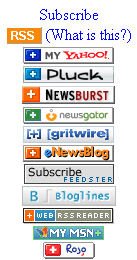
4. Continue adding 2-3 additional feeds into your feed reader. If you want to start with an easy one, try NPR (or another news website). Most news sites have an "RSS" or "feeds" button to click on. The feed button may look like the one at the top of this Thing, or it could look like any of these. Add a feed by right-clicking on the RSS button, click copy shortcut, and paste it into your feed reader.
5. To find other blogs you could add to your feed reader, try searching in Bloglines and Google. Using this link in Google restricts the search to blogs only. Your favorite Web site may have an RSS feed and you haven't noticed it before! Look through a few of your most-visited Web sites to see if they offer RSS feeds.
Bloglines
Google Reader
If you choose Google Reader, check out a handout the librarians made on setting up your feed reader.
3. Follow the directions at the site and sign up with a feed reader. Add a few of your fellow explorer's blogs. Copy and paste a fellow Blogger's URL into the "Subscribe" or "Add" feature on your feed reader. This will help you learn about other participant's experiences with learning Web 2.0.
4. Continue adding 2-3 additional feeds into your feed reader. If you want to start with an easy one, try NPR (or another news website). Most news sites have an "RSS" or "feeds" button to click on. The feed button may look like the one at the top of this Thing, or it could look like any of these. Add a feed by right-clicking on the RSS button, click copy shortcut, and paste it into your feed reader.
5. To find other blogs you could add to your feed reader, try searching in Bloglines and Google. Using this link in Google restricts the search to blogs only. Your favorite Web site may have an RSS feed and you haven't noticed it before! Look through a few of your most-visited Web sites to see if they offer RSS feeds.
6. Try MedWorm or Webicina. These are medical-related RSS feed readers. Find your favorite medical topic or journal.
RSS @ Work
Many medical journals have RSS feeds. You need a subscription to access full text, but table of contents are usually available to everyone. Regions Hospital Medical Library subscribes to nearly 300 online journals, so if you are in the computer network, your RSS feed should give you immediate full-text access to these journals.
Here are a few popular medical journals that have RSS feeds:
New England Journal of Medicine
Annals of Internal Medicine
JAMA & Archives
To get updates on consumer health information, try MedlinePlus RSS feeds.MedlinePlus

Address the following questions in your blog.
What do you like about RSS feeds / feed readers?
What do you like about RSS feeds / feed readers?
How could you use RSS feeds in your personal or professional life?
How did you find additional feeds to add to your reader?
Why did you choose this Thing?
Why did you choose this Thing?
How long did it take you to complete this Thing?
**Extra Challenge**
Creating an RSS feed from PubMed
If you are familiar with searching PubMed, this will be easy for you! If you would like a refresher on searching PubMed, stop by or call the Medical Library and a librarian would be glad to help you.
Create a search on a subject you would like to keep up with. Using 'heart attack' is probably too big of a search. It will work best if the search is quite specific 'Myocardial Infarction AND therapeutic hypothermia' for example. Your search can also be an author's name. If you are following the research of a particular author, you will be notified in your feed reader if she publishes a new article. Once you have a search that looks promising, click the RSS button above the search box.
This feed can be added to your feed reader by right-clicking on the orange XML button, click 'copy shortcut' and add/subscribe to your feed reader
OR
copy the URL (web address) of the page that contains your RSS feed and paste it into the add/subscribe box on the feed reader.
Another way to get regular updates from PubMed is to use MyNCBI. This is not an RSS application, but updates are sent directly to your email. Again, please ask a librarian to help you with the MyNCBI features of PubMed! We offer informational sessions (individual or departmental) on MyNCBI and other advanced features of the newly redesigned PubMed. For more information on MyNCBI, try Thing 14 - PubMed and PubMed Alternatives.
**Extra Challenge**
Creating an RSS feed from PubMed
If you are familiar with searching PubMed, this will be easy for you! If you would like a refresher on searching PubMed, stop by or call the Medical Library and a librarian would be glad to help you.
Create a search on a subject you would like to keep up with. Using 'heart attack' is probably too big of a search. It will work best if the search is quite specific 'Myocardial Infarction AND therapeutic hypothermia' for example. Your search can also be an author's name. If you are following the research of a particular author, you will be notified in your feed reader if she publishes a new article. Once you have a search that looks promising, click the RSS button above the search box.
This feed can be added to your feed reader by right-clicking on the orange XML button, click 'copy shortcut' and add/subscribe to your feed reader
OR
copy the URL (web address) of the page that contains your RSS feed and paste it into the add/subscribe box on the feed reader.
Another way to get regular updates from PubMed is to use MyNCBI. This is not an RSS application, but updates are sent directly to your email. Again, please ask a librarian to help you with the MyNCBI features of PubMed! We offer informational sessions (individual or departmental) on MyNCBI and other advanced features of the newly redesigned PubMed. For more information on MyNCBI, try Thing 14 - PubMed and PubMed Alternatives.




No comments:
Post a Comment